



Top up from any device (smartphone, tablet, laptop)

Choose from one‑off, monthly or annual data plans

Accessible anywhere even when there is no data left or no Wi‑Fi

Accepts major international payment methods
To add more data to your Mozillion Travel eSIM, follow the same process as when purchasing your initial eSIM:
Go to the Mozillion Travel eSIM homepage
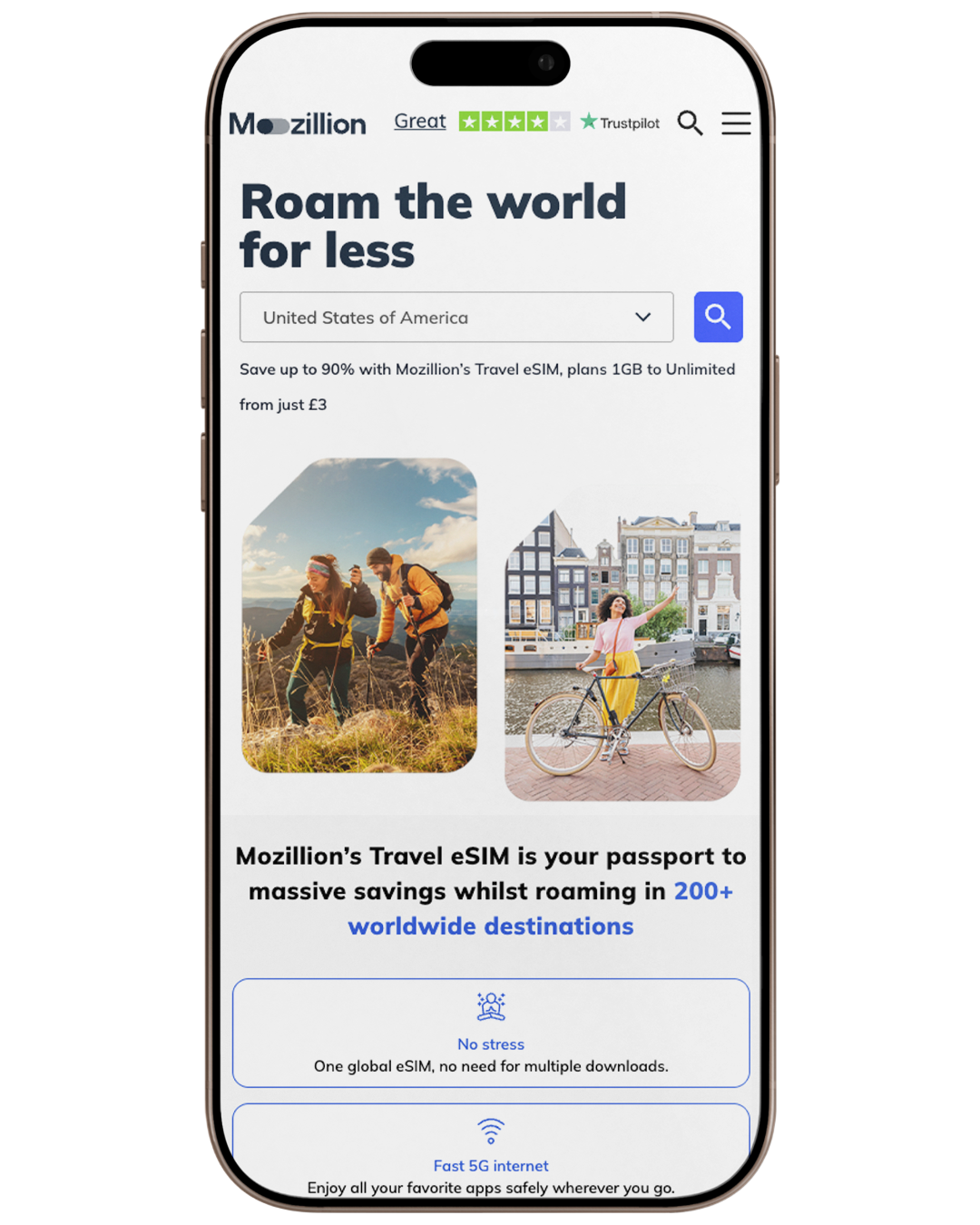
Visit the Mozillion Travel eSIM homepage on your smartphone, tablet, or computer. If you don’t have access to a mobile device, you can also manage your account and data plans using a web browser.
Choose your country of choice
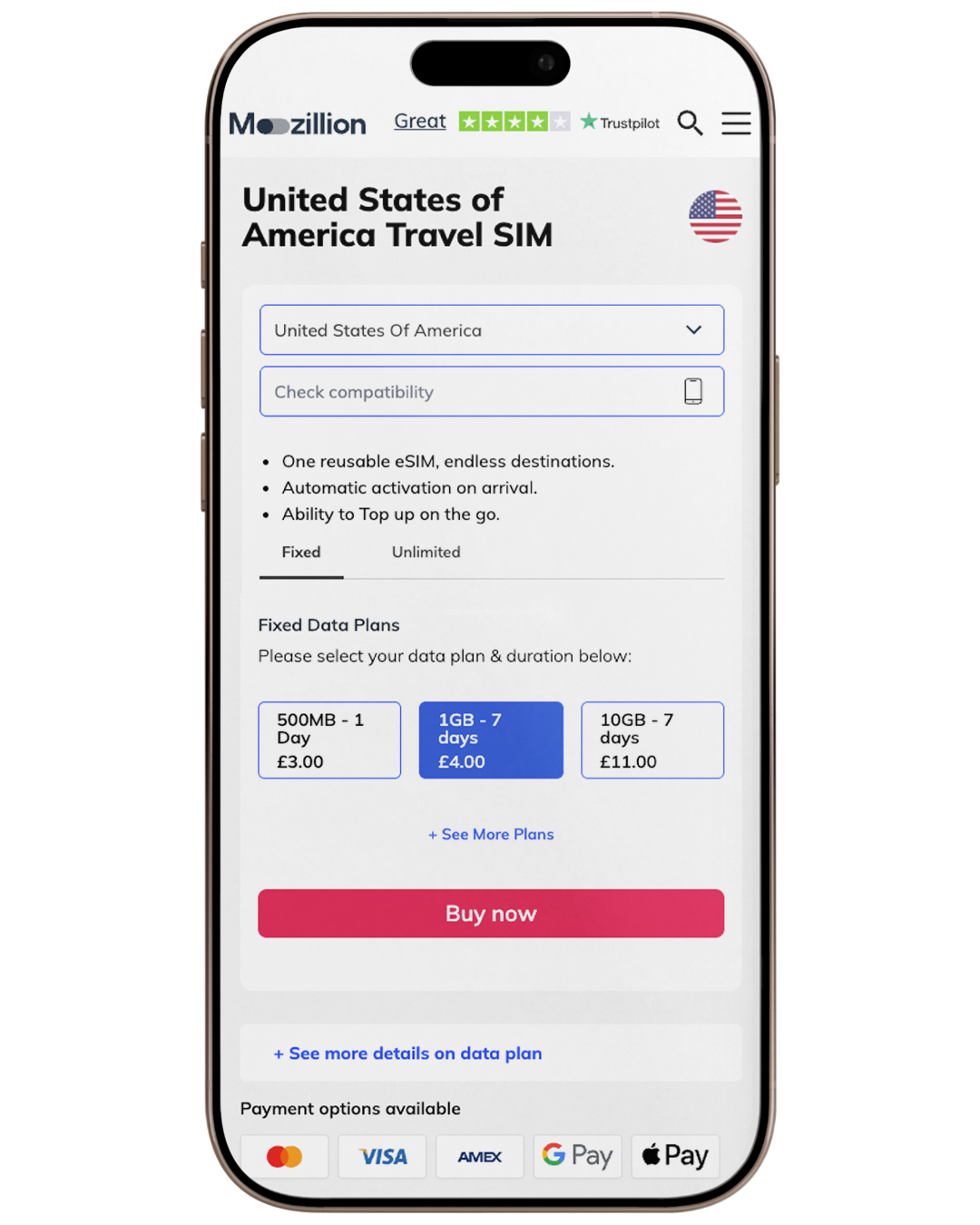
Select the country you want to add data for and pick the fixed or unlimited plan you desire.
Proceed through the checkout
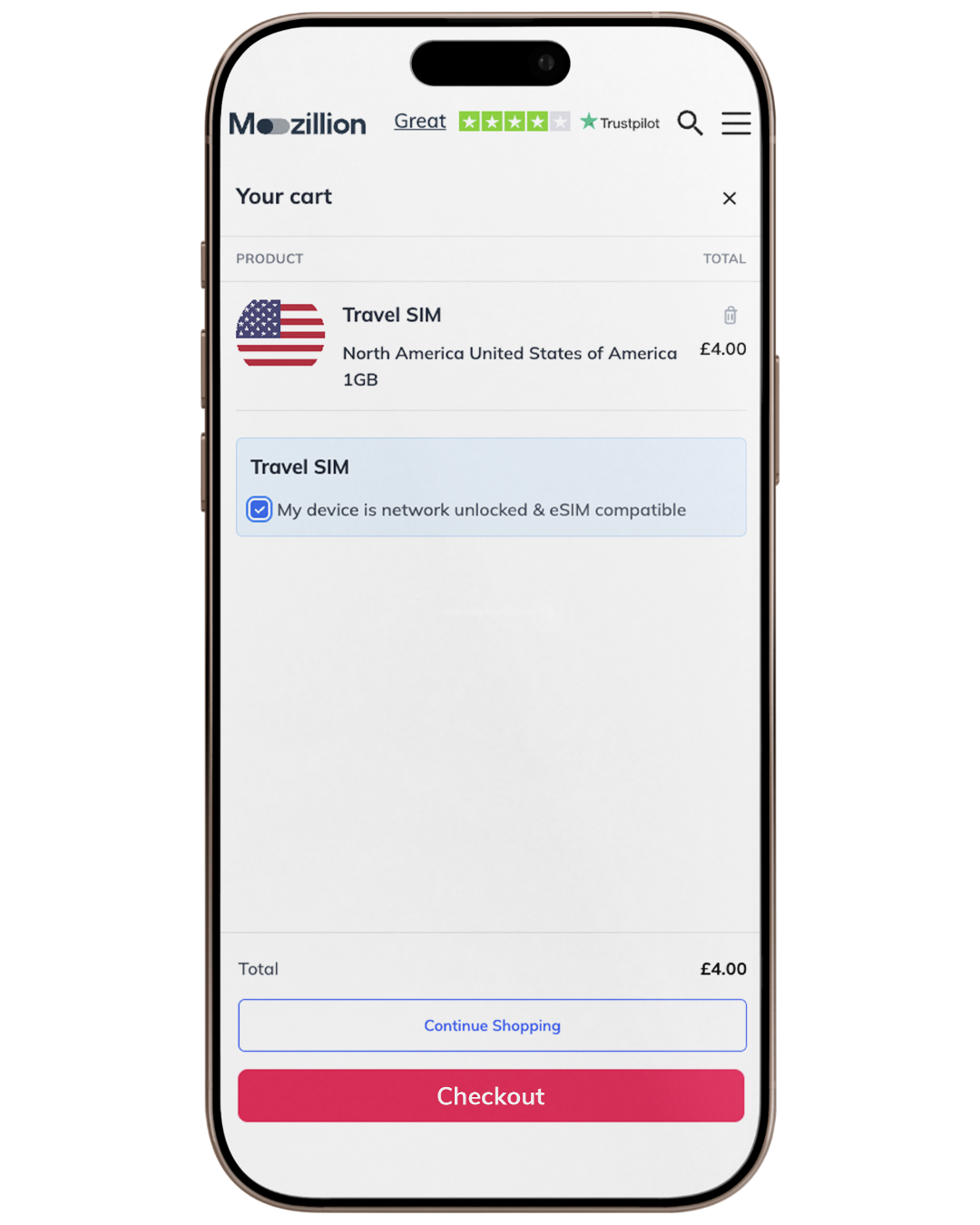
After selecting Buy Now, go to your cart. You must tick the box confirming “My device is network unlocked and eSIM compatible” to be able to proceed to the next step.
Final Checkout & Payment
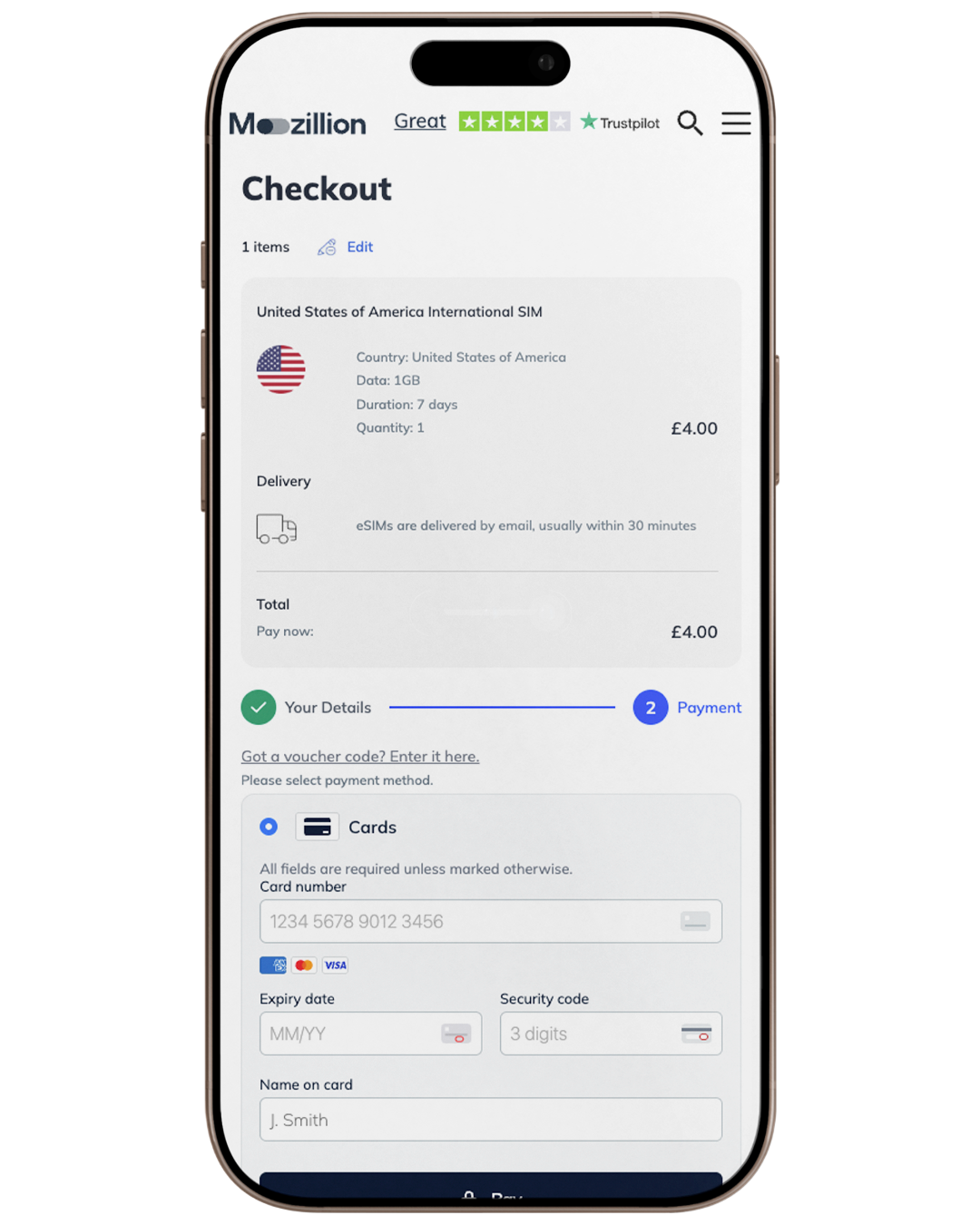
At the checkout stage, review your order summary to ensure all details are correct. Enter your payment information to complete your purchase.
The installation or compatibility of the eSIM feature may differ by country and/or the model version of the device. Mozillion is not responsible for country or specific model compatibility.