Apple to Stop Autocorrecting ‘Ducking’ on Your iPhone With iOS 17 Update
Your iPhone will learn when you didn’t mean to say ducking.
Although it can be amusing at times, Apple is aiming to no longer keep changing what you want to say to a more socially acceptable alternative. This AI-based messaging upgrade will form part of the new iOS 17 operating system update coming in September for iPhone and will be possible thanks to the use of a ‘transformer model’, which learns messaging context using some clever mathematical techniques
This will help it to detect when you really want to use, for example, a swear word - not that we’d condone that in your messages. Transformers are some of the most powerful elements of AI tech and are becoming more mainstream in apps that use autosuggest and predictive text. You may have heard of ChatGPT which uses similar technology
The iOS 17 upgrades are expected to be available as a public beta during July, with the general release in September - just in time for that widely rumoured iPhone 15 announcement.
Other new features in iOS 17 include:
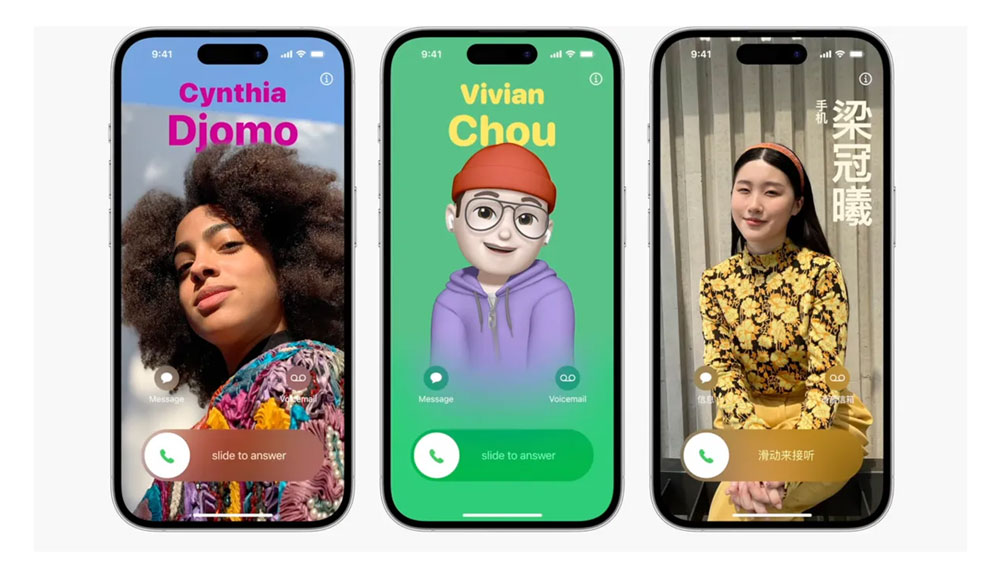
Contact Posters
Like your own personal album cover, you can create a screen sized poster of yourself so that whenever you call one of your contacts, your unique design or image will flash up on their iPhone.
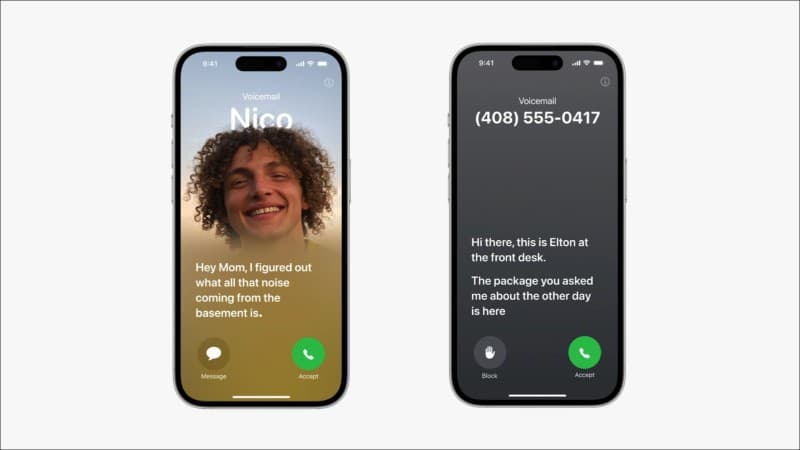
Live Voicemail
Good old voicemail, you either love it or hate it. Apple is offering an exciting upgrade to theirs with iOS 17. As well as live transcriptions for voicemail, Apple is also offering a FaceTime option. This basically means you can leave a voice message or video recording if someone doesn’t pick up your Facetime call. Not sure if the voicemail haters are going to welcome this upgrade but it could be lots of fun for many.
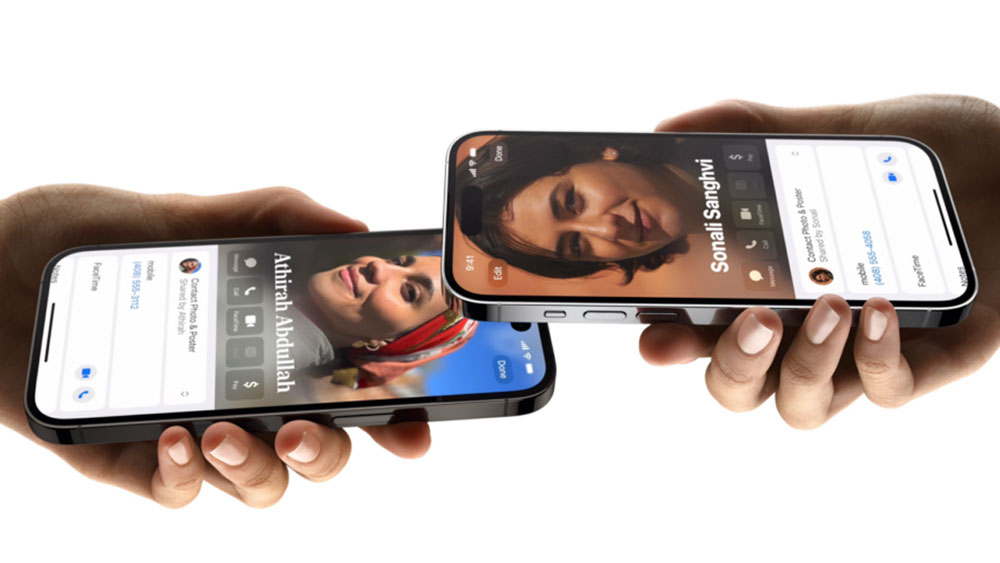
NameDrop
Gone are the days when you have to root around in your contacts to forward on a number to a friend or colleague. You can now bring your iPhone next to another one and ‘drop’ the contact from one to another. Seamless.
SharePlay
A great way to encourage more interaction in real life, SharePlay allows you to instantly watch content, listen to music or play games in sync with your contacts.
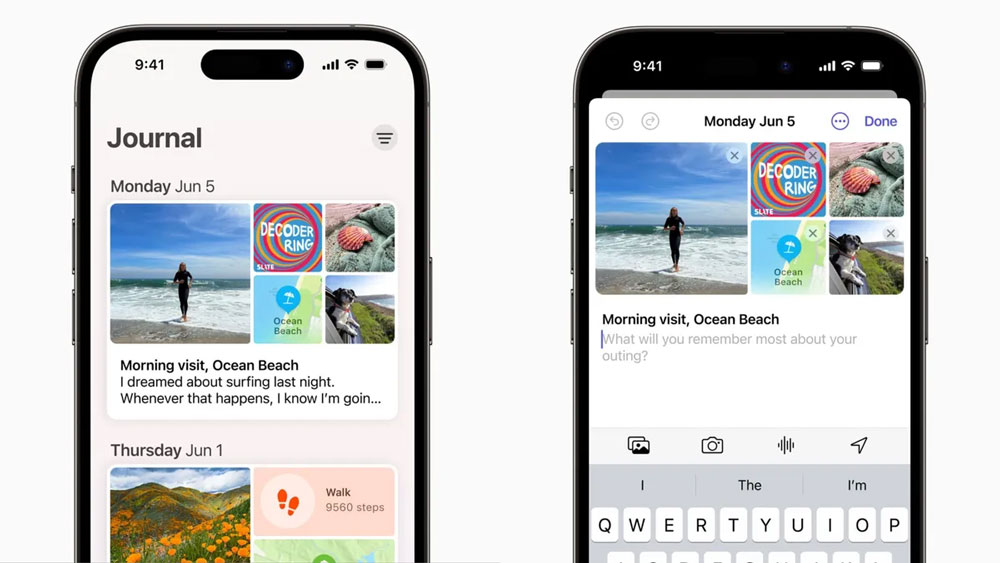
Journal
A new app coming to iPhone for preserving your memories. Think of it like a visual diary or scrapbook, where you’ll be able to make notes about your day and add photos.
Standby
Turn your phone on its side while its charging and it will be able to display unique widgets to make your phone even more useful when its sitting there doing nothing. Widgets include a clock, music track info or a photo gallery.